

Documentation Index
Fetch the complete documentation index at: https://docs.evo-ai.co/llms.txt
Use this file to discover all available pages before exploring further.
Overview
Share Agent allows you to share your AI agents with your team or clients through public links. This functionality is ideal for:- Team collaboration without the need for multiple accounts
- Demonstrations for clients or stakeholders
- Quick access to specific agents
- Public testing of functionalities
Security: Shared chats are publicly accessible through the generated link.
Make sure to share only with authorized people.
How to Share an Agent
Step 1: Access Agent Settings
Locate the agent in the listing
Locate the agent in the listing
- Go to the agents screen in the main dashboard
- Locate the agent you want to share
- In the agent card, click on the “Settings” icon (⚙️)

Access Share Agent
Access Share Agent
Step 2: Configure Sharing
Generate sharing link
Generate sharing link
On the Share Agent screen you will see: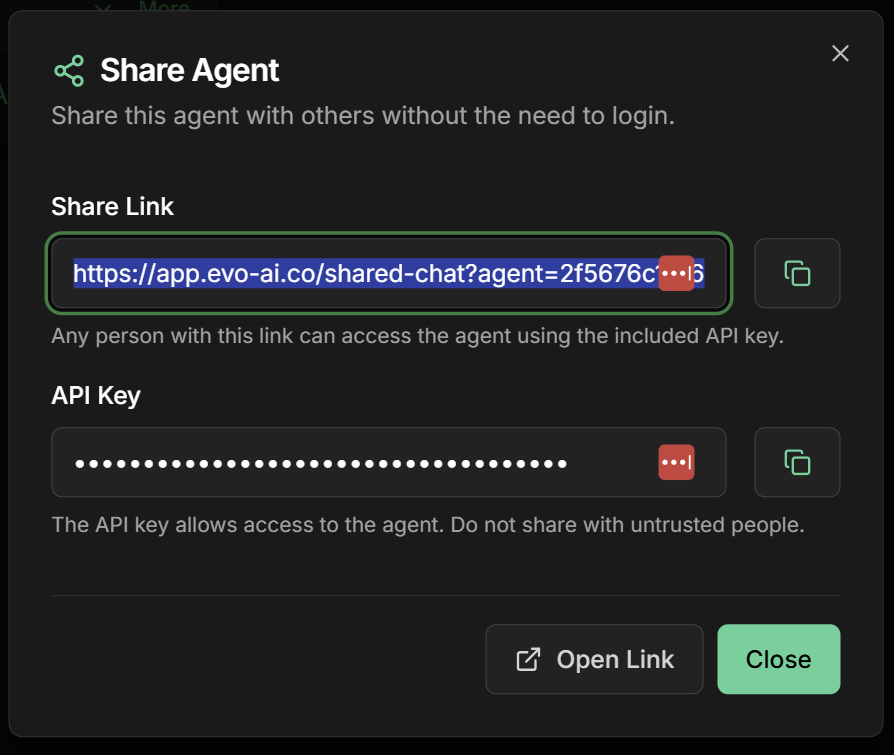
- Shared Chat URL: Public link for agent access
- API Key: Specific key for this sharing
- Access settings: Security and control options
Specific API Key: Each sharing generates a unique API key for access control and monitoring.
Copy access information
Copy access information
To share with your team:
- Copy the URL of the shared chat
- Note the API Key if needed for integrations
- Share the link with authorized people
Step 3: Access the Shared Chat
Open shared link
Open shared link
- Click on “Open Link” in the configuration screen
- A new tab will open with the shared chat
- The chat will be ready for immediate use
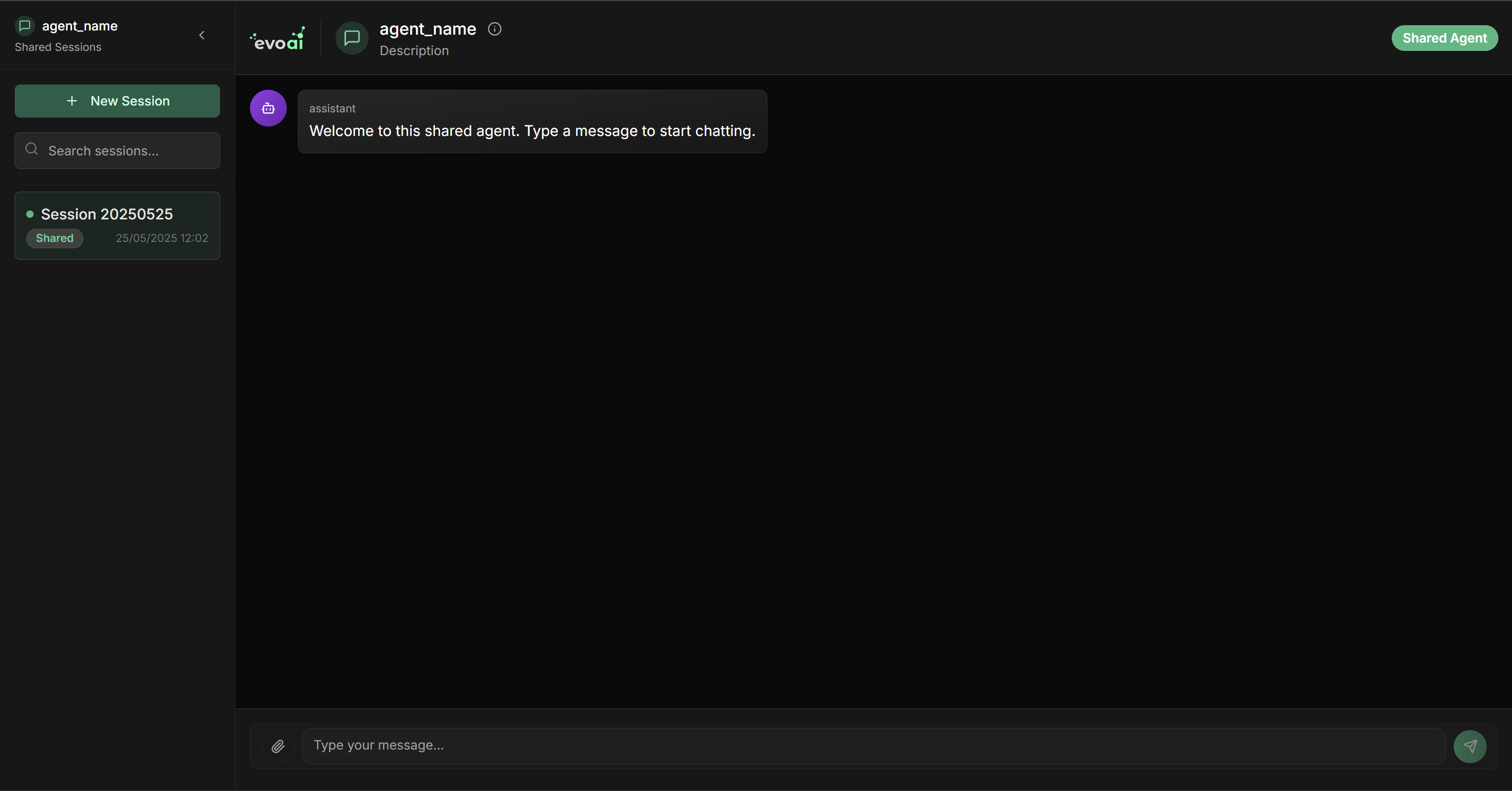
Access without authentication
Access without authentication
Shared chat characteristics:
- ✅ No login required - Direct access through the link
- ✅ Simplified interface - Focus on conversation with the agent
- ✅ Complete functionality - All agent capabilities available
- ✅ Independent sessions - Each user has their own conversation
Use Cases
For Teams
Internal collaboration
Internal collaboration
Ideal scenarios:
- Agent testing by different team members
- Functionality validation before deployment
- Training new collaborators
- Internal project demonstrations
Client demonstrations
Client demonstrations
Benefits:
- Immediate access without registration required
- Clean and professional interface
- Complete agent experience
- Facilitates sales closing
For Development
API integration
API integration
Use the generated API Key to integrate the shared agent in:
Automated testing
Automated testing
Possibilities:
- Agent regression testing
- Response validation in different scenarios
- Performance monitoring
- Usage metrics collection
Sharing Management
Security and Control
Security best practices
Security best practices
Recommendations:
- 🔒 Share only with authorized people
- 🔄 Regenerate links periodically for greater security
- 📊 Monitor usage through platform metrics
- ⚠️ Revoke access when necessary
Usage monitoring
Usage monitoring
Available metrics:
- Number of conversations started
- Average session time
- Messages exchanged
- Peak usage hours
Access metrics through the main platform dashboard.
Limitations and Considerations
Technical limitations
Technical limitations
Important points:
- 📝 Limited history - Conversations are not persisted indefinitely
- 🔄 Temporary sessions - Each access creates a new session
- ⚡ Rate limiting - There may be usage limits per IP
- 🎯 Basic functionalities - Some advanced features may not be available
Cost considerations
Cost considerations
Cost impact:
- Token usage from your main API key
- Consumption based on conversation volume
- Monitoring recommended for expense control
Troubleshooting
Common problems
Common problems
Link doesn’t work:
- Check if the agent is still active
- Confirm that the API key hasn’t been revoked
- Test in incognito mode to rule out cache issues
- Check if there are credits in the main API key
- Confirm that the agent model is available
- Check error logs in the main dashboard
- Confirm that the link is correct and complete
- Check if there are IP restrictions
- Test with different browsers
- There may be high simultaneous usage volume
- Check the performance of the chosen model
- Consider optimizing agent instructions
🚀 Ready! Now you can share your agents with ease and collaborate with your team efficiently. Use this functionality for demonstrations, testing, and quick access to your AI agents!